AI Photo Studio
AI Photo Studio
HomeContact
Log inGet Started
© 2026 AI Photo Studio
Terms of ServicePrivacy Policy
AI video studio for creators

Create cinematic videos with AI.

Turn one image into realistic podcast clips, creator videos, ads, and social content. Upload a photo, describe the scene, choose your video settings, and generate polished clips without filming.

Create Your First VideoExplore Podcast Tools
Image to video
Start from any photo
Podcast clips
Talking-head scenes
Frame reuse
Keep creating
AI Podcast Video
1080p
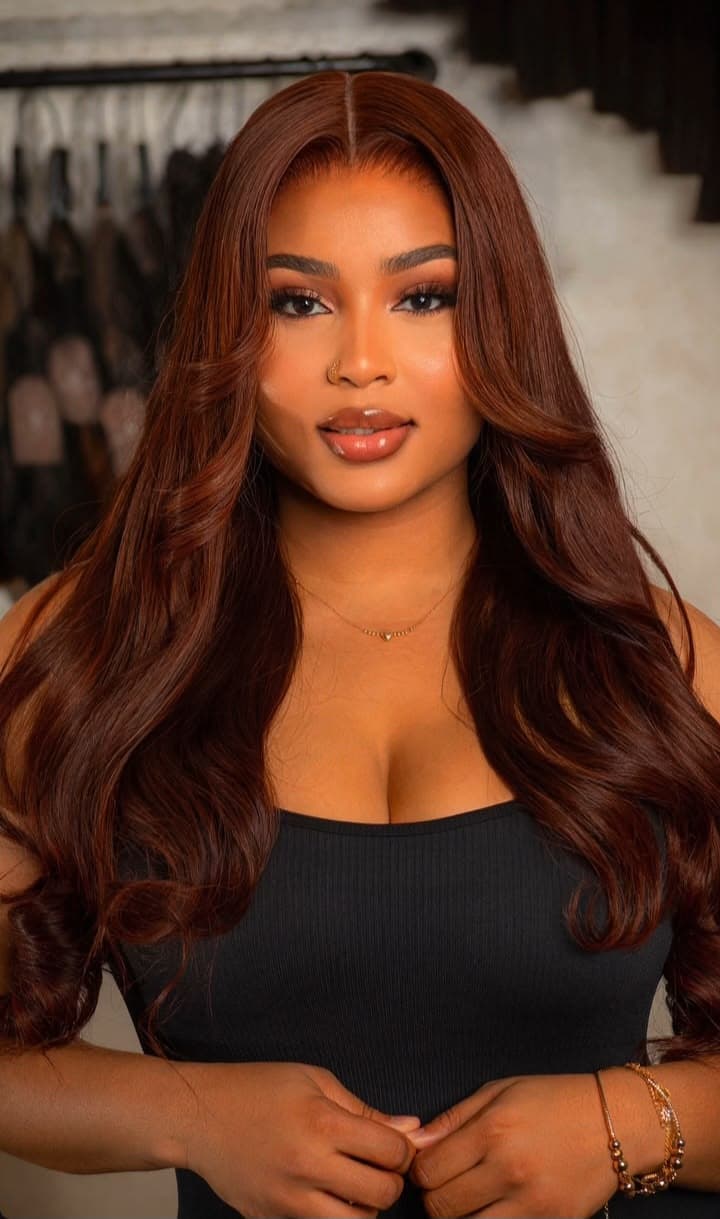
Creator portrait used as a video start frame
00:08 AI clip
Prompt

“Create a realistic cinematic podcast clip. She smiles, speaks calmly, and reacts like she is in a premium studio conversation.”

Native audio
Multi-shot
9:16
8 seconds
Built for people who need content now

Make the video people are asking you about.

If your audience saw an AI podcast clip and asked “how did you make that?”, this is the tool. Create talking-head videos, lifestyle clips, creator ads, and cinematic social posts from images you already have.

Start with one image

Use a portrait, product shot, podcast still, or AI photo as the first frame. No camera, crew, or studio booking needed.

Direct the scene

Tell the AI what should happen: smile, speak, react, sip coffee, turn to camera, or sit in a podcast conversation.

Generate polished clips

Choose duration, orientation, resolution, audio, and multi-shot, then create short videos ready for TikTok, Reels, ads, or landing pages.

Keep the story going

Extract a frame from a finished video and reuse it as the next start frame to build consistent scenes and content series.

Creator proof

Built for videos that make people stop scrolling.

Podcast clips, lifestyle scenes, product teasers, launch content, and social videos without waiting on a shoot day.

A
Ama
Podcast creator

"People thought I had booked a studio and filmed a real episode. It started from one photo and a prompt."

K
Kofi
Content marketer

"I made three ad-style clips before lunch. The best part is I can test concepts before paying for production."

N
Nadia
Beauty creator

"My followers kept asking how I made the cinematic talking videos. Now I can turn every shoot into video content."

Questions before you generate?

What can I create with it?
Cinematic image-to-video clips, AI podcast scenes, creator ads, lifestyle videos, talking-head clips, and short social content from a photo or generated image.
Do I need to record myself?
No. Upload a strong image as the start frame, write what should happen, then choose duration, orientation, resolution, audio, and multi-shot settings.
Can I make videos like the AI podcast clips?
Yes. That is the main use case. Use a portrait or character image, describe the podcast moment, and generate a short cinematic clip.
Can I keep the same person consistent?
Yes. You can reuse start frames, extract frames from finished videos, and generate follow-up clips from the exact moment you like.
Is this only for creators?
No. It works for creators, coaches, brands, agencies, product sellers, podcast pages, and anyone who needs polished video content quickly.

Your next video does not need a shoot day.

Start with one image, write the scene, and generate cinematic AI videos people will actually ask about.

Create a VideoView Credits